Create a file
where you already are.
A macOS menu bar app that creates a file in the folder you have open in Finder. One click, type a name, done.
Download for macOS
Free · macOS 12+
A macOS menu bar app that creates a file in the folder you have open in Finder. One click, type a name, done.
FileOn lives quietly in your menu bar — no Dock clutter, no window juggling.
It already knows the folder open in the front Finder window. Just name the file.
The file appears in that folder and reveals itself in Finder. That's it.
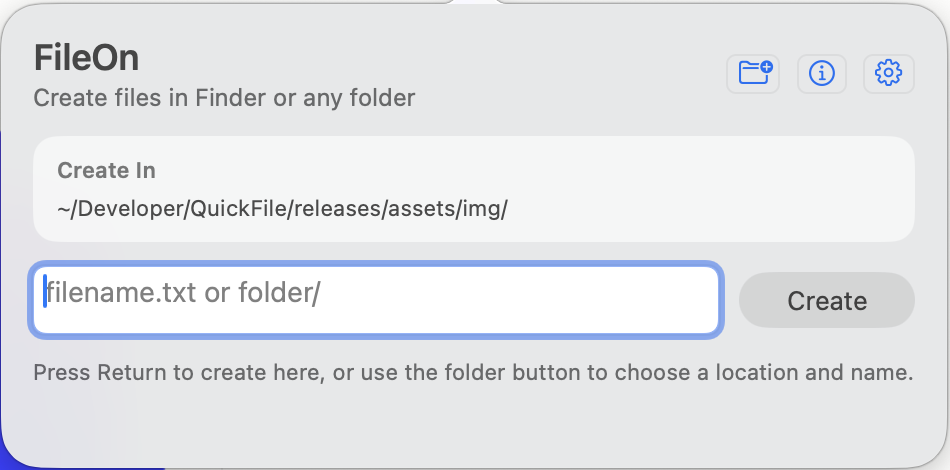
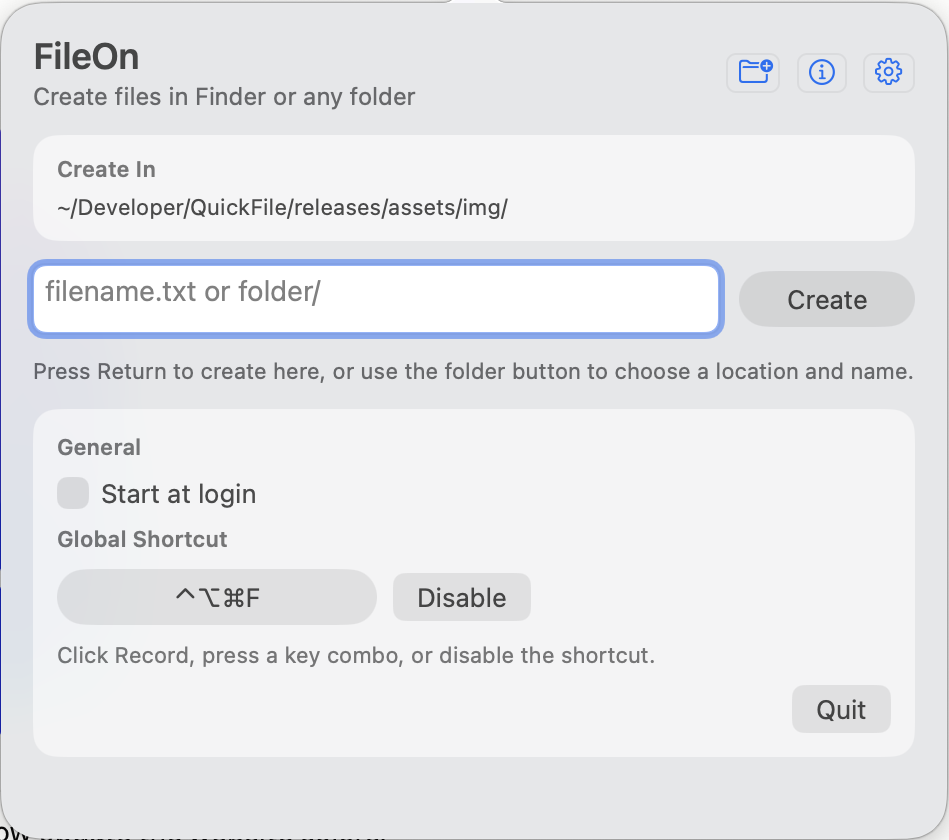
Creates files in the folder you're actually looking at — falls back to the Desktop when no window is open.
End a name with / to make a folder, or type folder/file.ext to create the path in one go.
Pop it open from anywhere with a keyboard shortcut you choose. Hands stay on the keys.
Need a different location? The folder button opens a panel to pick any spot and name the file.
Optionally launch at login, so FileOn is ready the moment you sit down.
A tiny, fast AppKit app. No Electron, no telemetry, no account.